
Casper: Snap’s fleet of friendly AI teammates
Software engineering is changing fast. Across the industry, the question is no longer whether AI can write production code, it's how much of the development lifecycle organizations are willing to offload to the agents. At Snap, we continue to increase the amount we count on agents for the work while keeping the human in the loop for judgement decisions.
Casper is our fleet of autonomous remote agents able to code, review A/B studies, search info, create and manage project tasks, look up realtime metrics, and query data, instantly within Slack via DM, channels, or triggers along with a dedicated web console. They take a task, spin up in an isolated environment, implement the smallest safe change, validate it, and produce a pull request (“PR(s)”) ready for review. Engineers are able to describe what they want, and Casper helps to move their backlogs forward. Today, this AI agent system is producing thousands of mergeable PRs each week across Snap's engineering organization. They handle the repetitive, mechanical work so our engineers can focus on direction, judgment, and the hard problems that actually require a human brain.
Casper was built for engineers to support end-to-end remote code generation, because it is truly an always on AI teammate.
Snap's codebase is massive, spanning thousands of services, multiple languages, and deeply interconnected systems that power products used by hundreds of millions of people daily.
Making changes in this environment requires understanding service boundaries, team conventions, testing strategies, and deployment pipelines. It's not the kind of codebase where a generic off-the-shelf AI agent thrives out of the box.
We also recognized that one of our most constrained resources is engineer attention. Even well-scoped tasks, fixing a flaky test, addressing a lint violation, bumping a dependency, implementing a straightforward feature from a well-written ticket, consume valuable cognitive bandwidth. Each one demands context-switching, environment setup, and review cycles. Multiply that across thousands of engineers and the cost is high.
We evaluated if we should build or buy a coding agent and ultimately decided that vendor solutions solved some, but not all of the things we needed. We needed interoperability within all of our internal services. We needed a tight integration with our CodePal and CodeSearch agents. Agent identity, security, and reliability for access and resource controls were all critical requirements for us to be able to have full control over. We needed it to be agnostic to the harness and model families. Lastly, we wanted to have control over the product UX so we could cater it to Snap specific workflows and maximize the efficiency gains.
We built Casper to give that time back. Not by replacing engineers, but by acting as an always-on team of specialists working in parallel alongside them. Engineers describe their intent, Casper handles gathering key information to enable human-led decisions.
Casper runs the same agentic loop as a local tool like Claude Code or Codex. What's different is everything around it: running remotely, under a managed identity, already wired into Snap's systems.
It works while you don't: Tasks keep moving while engineers are at lunch, asleep, or working on another task. Plus, engineers can kick off several at once, each in its own sandbox, and close their laptop. Sessions are durable and reattach where they left off. A local agent dies the moment you close the lid.
It's autonomous, safely running in a disposable sandbox, Casper skips per-command approvals. That mode would be reckless for a local agent on your real filesystem; here the blast radius is a throwaway container.
It can't touch your secrets: No access to a user’s filesystem, SSH keys, or credentials. Casper runs under a narrow identity and reaches source control only through a trusted controller, with every action attributable to that engineer for accountability.
You reach it from anywhere: Engineers can trigger and steer it from Slack or the portal. Approve a plan from a hallway; answer a question on their commute.
Teammates can collaborate: Pull Casper into an existing Slack thread for context, and add a collaborator to steer the same session together. A local agent is a party of one.
A good setup is shareable: Engineers can share custom agent templates (prompt, tools, runtime image, plugins) giving everyone the exact same experience.
Zero setup: Already connected to Snap's systems via the MCP Gateway, with nothing to install.
It's a service, not just a tool: Other systems can call Casper: a pipeline, a service, a scheduled job. Your local agent can't be a dependency of anything else.

When triggered, Casper follows a consistent lifecycle:
Spin up in an isolated, sandboxed environment with the right agent identity loaded for the target repo and task.
Gather context to read the Slack thread, Jira ticket, linked documents, repo-level rule files, and any relevant history.
Plan and implement the change that addresses the task, asking the human for approval where needed. This is where Casper seeks to understand the requirements, determines which tools it has access to, and finds the right tools for the task, before beginning to make any changes.
Run validation to execute configured checks, tests, and build the changes to verify the change works.
Iterate (if needed) on check fails. Casper adjusts and retries before producing the final output. It will once again find the right tools for the task based on information it has learned since it started its task. This is where engineers can optionally join the session and update the instructions to fine-tune the output.
Produce a PR that is wired into existing workflows, following team conventions and templates.
Invoke CodePal so the PR is automatically reviewed by AI (CodePal from our first post) with findings posted in-line and Casper can help address any flagged issues before the PR is presented for human review.
PR is ready for review.
Our target is mergeable PRs to ensure Casper is helping us to achieve outcomes and not just performing activities.
A core principle behind Casper is that it meets users where they already work, no new destination to visit, no workflow to change. In practice that comes down to three primary entry points.
From Slack
The most common way to use Casper is to just talk to it. DM it, or tag @casper in a channel, with a plain-language task. It parses the message for repo references and links, replies in a thread with live progress, and delivers the PR back into the same conversation. Two things make this feel less like a bot and more like a teammate. First, users can pull Casper into an existing thread: @casper where their team has already been debugging something, and it reads the prior messages as context instead of requiring them to re-explain. Second, work is rarely solo, the session owner can add another user as a collaborator so they can steer the same session together. Throughout, Casper may pause to ask a clarifying question or present a plan for the user to approve, and users can cancel, mute, or unmute the run with a simple emoji command. Every session runs under a mirror of a user’s identity so the user can uniquely provision access in isolation, therefore Casper can only do what that user can.
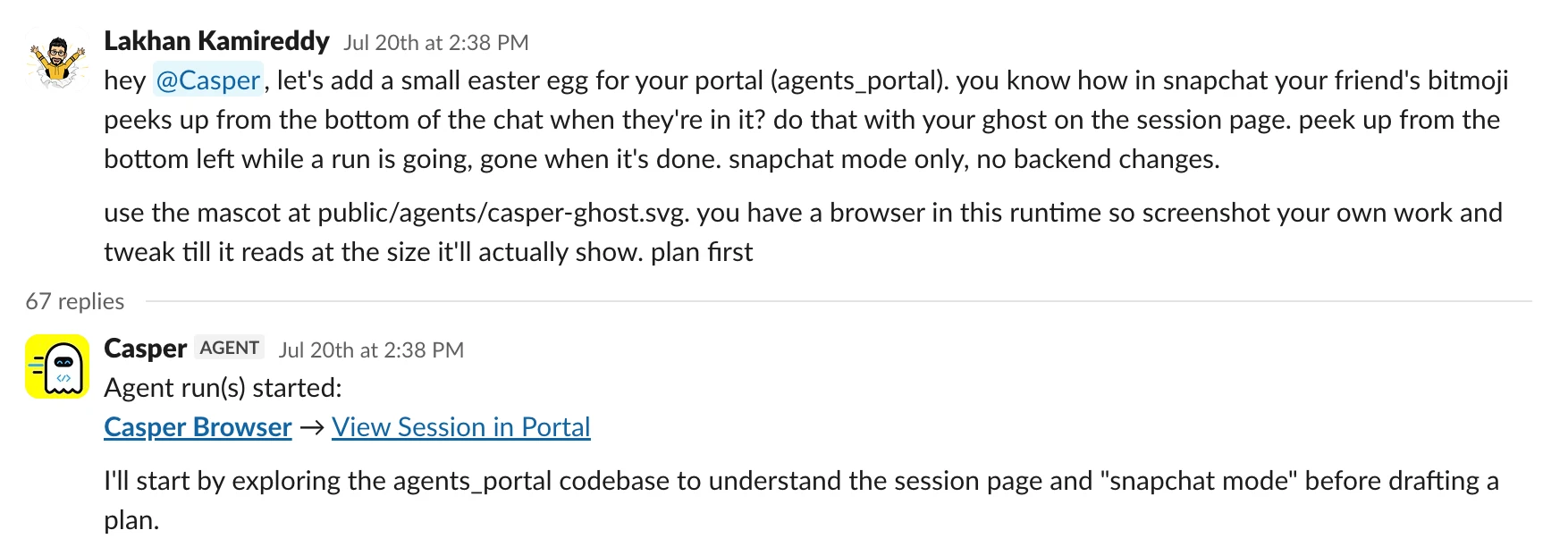
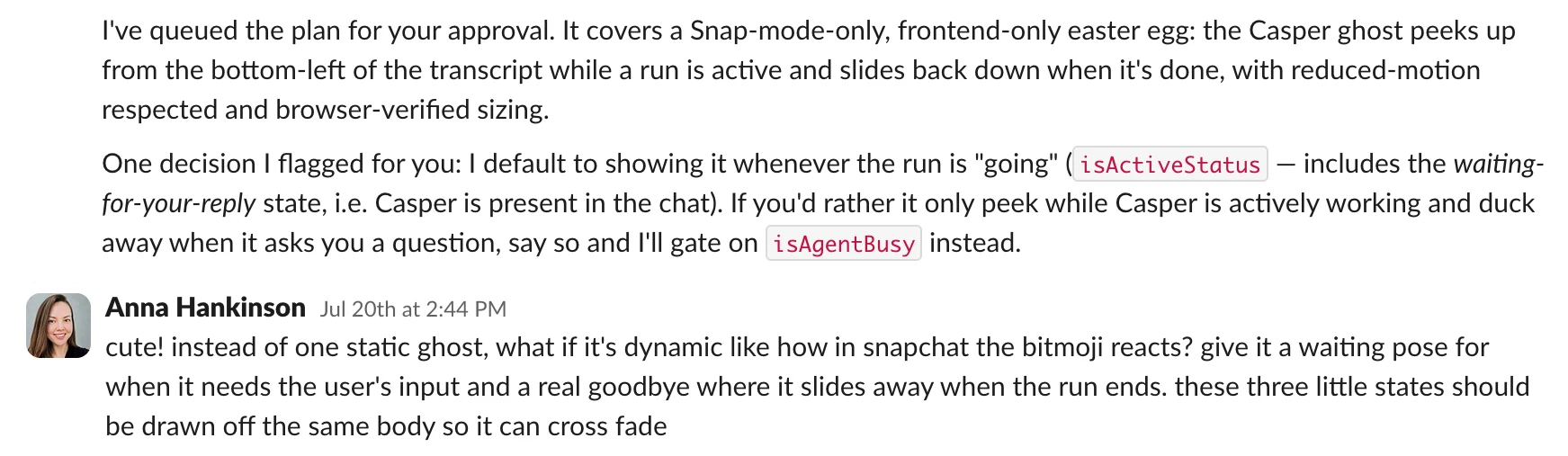
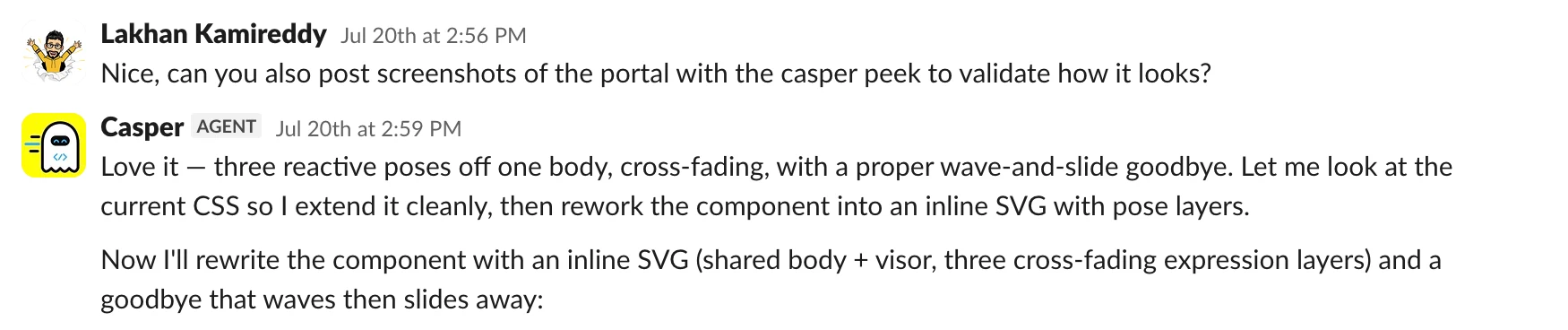

When users want a fuller view, the web portal is the cockpit. Users start a session from the composer, pick an agent template (or the default), write a prompt, and optionally attach a screenshot or file for context, then watch the run unfold in real time: status, the message timeline, plans and questions, and the PR when it lands. The portal is also the system of record: every session, whether started here or in Slack, shows up with its details, PR links, and how it was triggered.
A custom Casper Agent can be configured to be invoked on a specific trigger, so Casper starts work automatically: on a schedule (a nightly cleanup, a weekly dependency bump), or whenever activity happens in a specific Slack channel, either on every new thread (great for auto-triaging an intake or bug channel) or only when Casper is mentioned via @casper in the channel. Same engine, same guardrails, just kicked off by a clock or a channel after being configured by a human. Once a task lands as a PR, Casper hands it straight to CodePal (Part 1) for automated review before the PR is presented for human review, closing the loop between writing and reviewing.
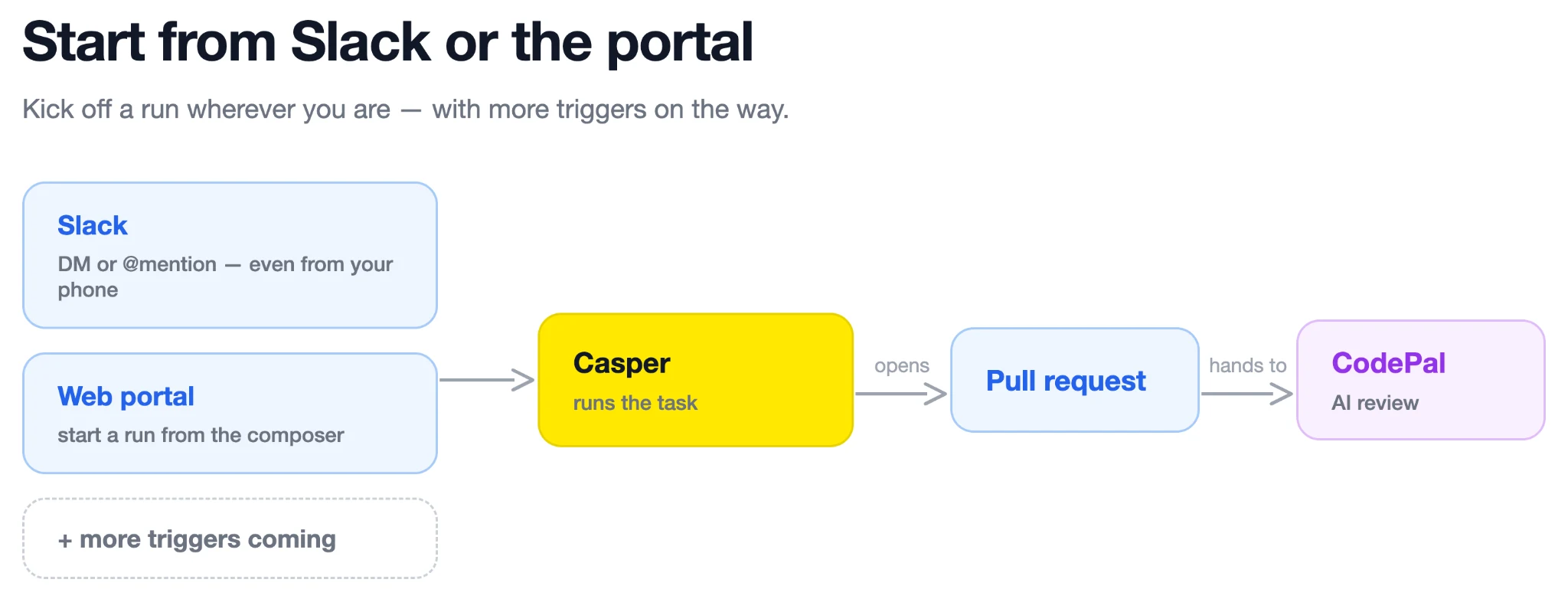
Whichever entry point users take, the process is the same: describe the intent, stay in the loop where judgment matters, and get back a reviewable PR under their own name.


A Casper session is a tight, repeatable loop: gather context, act, verify, and repeat. Casper can apply that loop to many kinds of work, but a coding task exercises the system end to end, from an ambiguous request to a reviewed pull request.
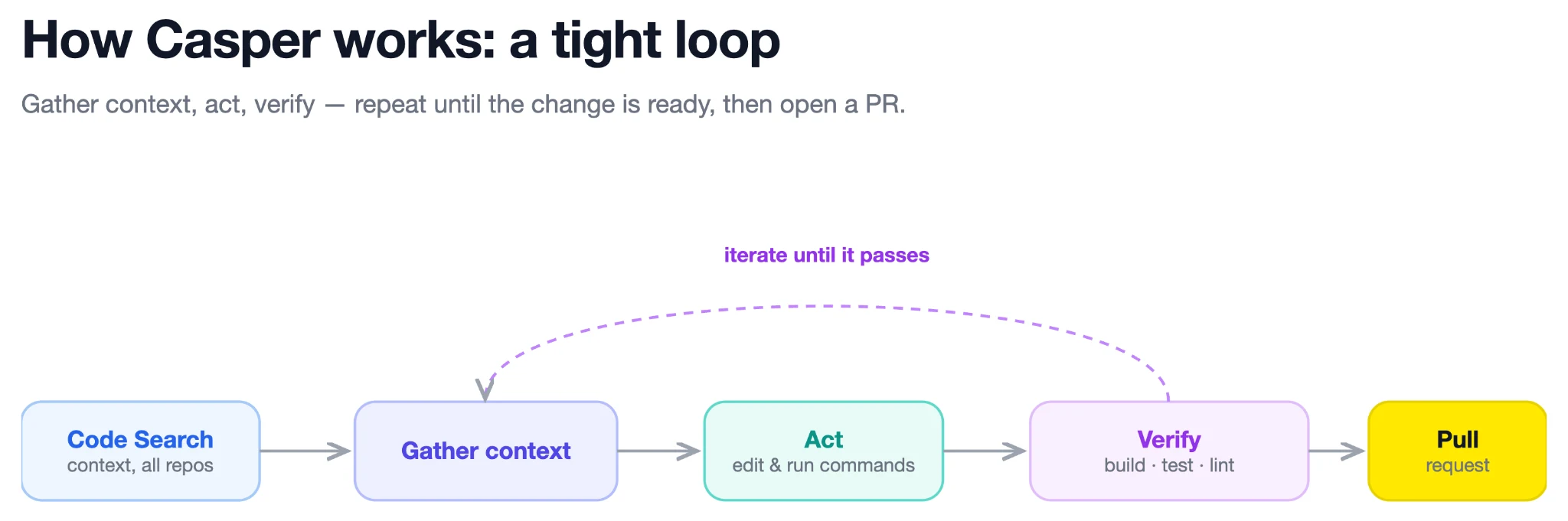
When a task arrives, from a Slack mention, a Jira label, the portal, or the API Casper starts a durable session, spins up a fresh, isolated sandbox, and loads the Casper Agent selected for the job. Before touching code, it reads the triggering message and any linked tickets or documents, pulls in the repository’s own guidance and team-authored skills, and reaches across Snap through Code Search, the retrieval layer covered in Part 2.
That cross-repository context matters. A task rarely names every service involved, and the best implementation may already exist in another part of the company. Code Search lets Casper find ownership, reuse established patterns, and inspect downstream callers that live in other repositories. It is the same context substrate CodePal uses: Casper relies on it to write code the way Snap already does instead of inventing a new pattern three repositories over.
From there, Casper plans the smallest safe change, edits the working tree, and validates the result in the repository’s real development environment. Builds, tests, and linters are part of the loop, not an afterthought. When something fails, Casper reads the output, revises the change, and runs it again rather than handing a reviewer code that does not compile.
When the change is ready, Casper pushes a casper/-prefixed branch and opens a normal pull request. CodePal reviews it immediately, and Casper can address those findings before a human ever reviews the PR. Interactive work is attributed to the user who initiated the session, with Casper credited as co-author. Automated Casper Agents operate under their own agent-scoped machine identities, giving their work explicit permissions and attribution. In both cases, the pull request follows the same review and approval process as any other change.
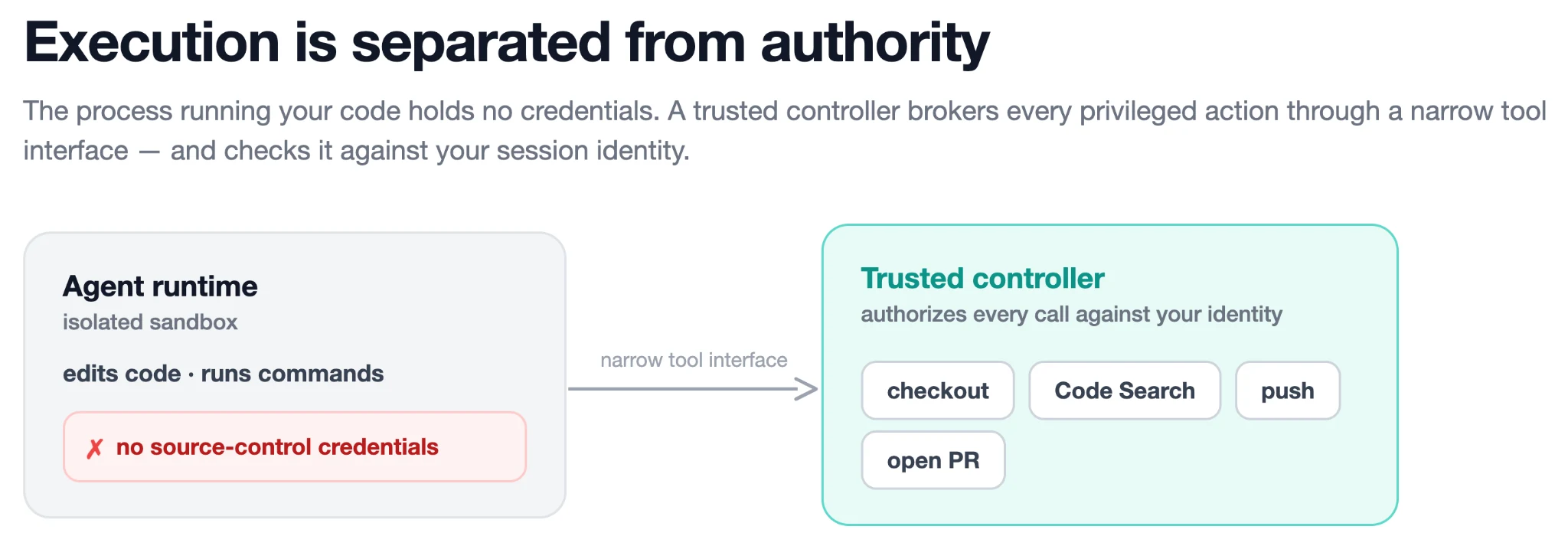
Underneath this loop, we deliberately separate execution from authority. The process editing code and running commands does not hold raw source-control credentials. A separate trusted controller exposes checkout, Code Search, push, and pull-request operations through a narrow tool interface and authorizes each call against the session’s identity. This gives Casper the access required to do real work without placing long-lived credentials inside the agent’s runtime.
Casper also separates the lifetime of the workspace from the compute running it. After a turn finishes, the idle runtime can be torn down while the conversation, checkout, and branch remain. A user can reply with “also add a test for that” or “you missed an import,” and Casper reattaches the same workspace and continues where it left off instead of starting cold. A Casper session is not a fire-and-forget script; it is a collaborator users can keep working with.
Coding is one expression of this loop. The instructions, tools, triggers, and identity that shape it into a particular workflow are what define a Casper Agent.
Out of the box, Casper is a generalist where a user describes a task and it goes. That's right for one-off work, but it means re-briefing the agent every time and giving every session the same broad capabilities. Casper Agent Templates turn that generalist into a specialist: a saved configuration that defines a purpose-built agent, who it is, what it can do, where it can be summoned, and how it behaves, all in a no-code fashion. Think of it less as a settings page and more as hiring for a role.
Teams reach for this because most valuable work is recurring and opinionated: a security team wants a CVE-fixer that patches vulnerabilities and nothing else; a platform team wants a nightly dependency-bumper that runs on a schedule; a service team wants a triage agent that lives in their intake channel and already knows their conventions. Same Casper engine, configured differently and because a template is just configuration, a team can stand one up in minutes, share it, and tighten or loosen its scope as trust grows.
A template customizes the dimensions that define a role:
Custom instructions: A system prompt encoding the agent's persona and a team's conventions, on top of the skills and top level agent guidance the repo already ships.
Tool selection: Narrow what the agent can do; a review agent might keep code search but lose the ability to push branches or open PRs. Giving the agent the right tools for its job means a more predictable agent.
Runtime environment: Bring a custom container image so the agent has exactly the compilers, CLIs, and dependencies its job needs.
Who can interact, and where: Bind the agent to a Slack channel, a schedule, or manual-only, and control who can run and edit it.
Model and cost: Pick the model that best balances quality, speed, and cost, and attribute usage to the right team.
This is how Casper scales across an organization without a one-size-fits-all agent: each team encodes its own workflows and guardrails into agents tuned to their comfort level, and the same underlying fleet quietly becomes a hundred different specialists. Since GA last quarter, we have seen hundreds of custom Casper agents being created for on-call agents, summarizing project statuses, audit evidence checking, constant test expansions, and more. We’ve seen instances of engineers building a custom on-call agent in Casper in just a few hours after having spent weeks trying to build it from scratch elsewhere.


While Casper was built with coding use cases in mind, it actually functions as a multi-purpose agent across all user personas. Casper is used commonly for triaging status in Jira tickets, checking an A/B experiment, performing data analysis, summarizing documents, triaging important but unanswered emails, and so much more. This all made possible through its connection to Snap’s MCP Gateway, which is the standardized interface into all of the MCPs and their tools available at Snap. Once a new MCP is available through gateway, every Casper agent can use it, no per-agent, per-tool integration work.
What makes this safe at scale is that identity travels the whole chain. When a user triggers a session, their authenticated identity follows the request from Slack or the portal into the sandbox, where the session runs under a per-user identity whose access is derived from their own. Every call the agent makes through the gateway carries that same identity forward, and each downstream system enforces that user’s existing permissions against it. So Casper can only read the read or write code in repo’s the user has access to, view Jira tickets they can see, pull data they are allowed to, and read documents that belong to them; it can't reach anything the user couldn't reach themselves. The gateway is a single, auditable choke point where access is enforced and every tool call is attributable to the user who triggered it the same identity model that governs Casper's code access, extended across every tool it touches.
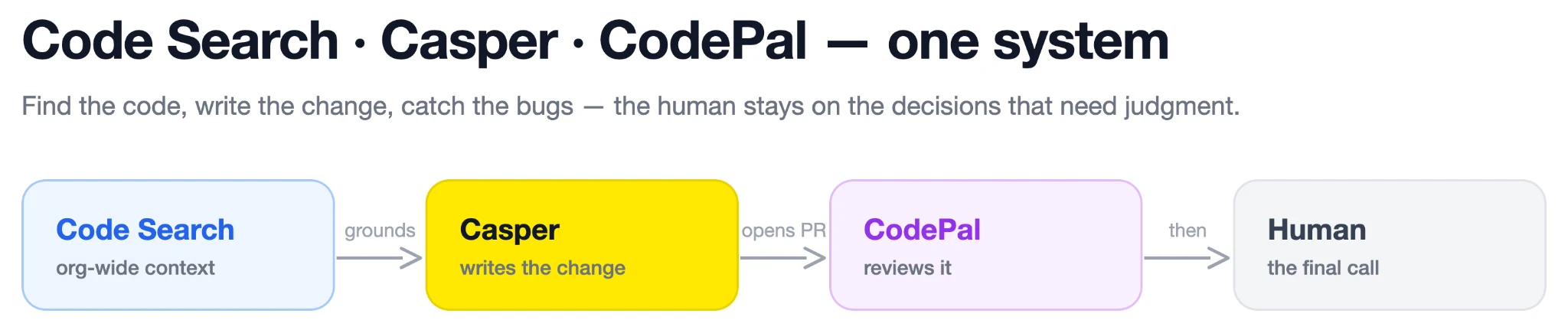
Across this series we've described three systems that were designed to work as one. Code Search gave agents and engineers a fast, org-wide map of all of Snap's code. CodePal used that map to review PRs automatically before a human ever looks at them. And Casper closes the loop on the writing side, turning a plain-language task into a validated, reviewable PR, grounded in the same code context and handed straight to CodePal for automatic review before the PR is presented for human review.
Individually, each is useful. Together, they're the beginnings of a software development lifecycle where the machine handles the toil, finding the code, writing the change, catching the bugs and the human stays firmly in the loop on the decisions that require judgment, taste, and accountability. That's the bet we're making at Snap, and the early results tell us it's the right one.
If you'd like to work on systems like this, we're hiring, apply here.